Computer skills have become essential in almost every industry. From small businesses and schools to offices, banks, hospitals, shops, and online businesses, computers are used for daily operations. As a result, completing a computer training course can open the door to a wide range of career opportunities.
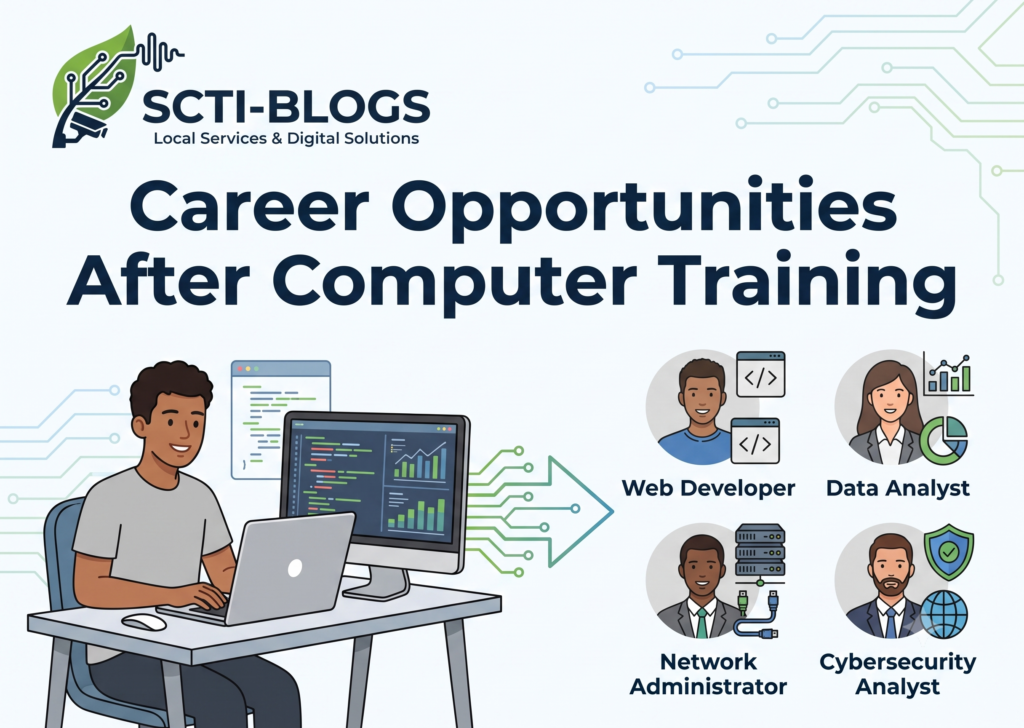
For students, job seekers, homemakers, beginners, and anyone looking to improve their professional skills, computer training can be a valuable investment. Learning practical computer skills can help you qualify for entry-level jobs, freelance work, online services, and even self-employment.
Why Computer Training Is Important for Your Career
Modern workplaces depend heavily on digital technology. Employers often look for candidates who can comfortably use computers, office applications, email, internet services, and other digital tools.
A good computer training program can help you develop practical skills such as:
- Basic computer operation
- MS Word, Excel, and PowerPoint
- Internet and email usage
- Data entry
- Online documentation
- Graphic design basics
- Website design and development
- Digital marketing
- Basic programming
- Accounting software
- Online business skills
These skills can improve your confidence and make it easier to apply for different types of jobs.
Career Opportunities After Computer Training
After completing computer training, learners can explore several career paths depending on their skills, education, and interests.
1. Data Entry Operator
Data entry is one of the common entry-level opportunities for people with basic computer knowledge. Data entry professionals enter, update, organize, and manage information using computer systems.
Good typing speed, accuracy, and knowledge of office applications can be helpful for this career.
2. Computer Operator
Computer operators assist organizations with routine computer-based tasks. Their responsibilities may include maintaining digital records, preparing documents, handling data, printing, scanning, and performing other office-related activities.
This can be a suitable starting point for beginners who want to gain workplace experience.
3. Office Assistant
Many offices require employees who can prepare documents, manage files, send emails, create spreadsheets, and perform basic administrative tasks.
Computer training combined with communication and organizational skills can improve your chances of finding an office assistant position.
4. Accounting and Billing Executive
Businesses frequently use computer software for accounting, billing, inventory, and financial records. Learners who combine computer training with accounting software knowledge can explore opportunities in shops, offices, businesses, and accounting firms.
Learning tools such as spreadsheets and commonly used accounting applications can provide an additional career advantage.
5. Graphic Designer
Creative learners can develop their careers in graphic design after learning appropriate design software and principles.
Graphic designers may create:
- Social media posts
- Posters
- Banners
- Business cards
- Advertisements
- YouTube thumbnails
- Logos
- Promotional materials
Graphic design can also provide opportunities for freelance and remote work.
6. Web Designer and Developer
Website design and development is another promising field for computer learners. By learning HTML, CSS, JavaScript, WordPress, and other web technologies, students can begin building websites for individuals and businesses.
With experience, web professionals can work with companies, agencies or start their own freelance services.
7. Digital Marketing Professional
Businesses increasingly depend on online marketing to reach customers. Computer training can provide a foundation for learning digital marketing skills such as SEO, social media marketing, content marketing, email marketing, and online advertising.
Digital marketing can offer both employment and freelance opportunities.
8. Freelancing
One of the major advantages of computer skills is the possibility of working independently. Depending on your expertise, you can provide services such as:
- Data entry
- Graphic design
- Website development
- SEO
- Social media management
- Content creation
- Video editing
- Virtual assistance
Freelancing requires patience, practical skills, communication, and consistent effort, but it can provide flexible career opportunities.
9. Computer Training Instructor
After gaining sufficient knowledge and practical experience, skilled computer professionals may also explore teaching opportunities.
A computer instructor can teach basic computer operation, office applications, internet usage, and other computer-related subjects to students and beginners.
10. Start Your Own Digital Service Business
Computer training does not always have to lead to a traditional job. Skilled learners can use their knowledge to start their own service business.
For example, a trained professional may provide:
- Website design services
- Graphic design
- Digital marketing
- Computer training
- Online form filling
- Printing and documentation services
- CCTV-related services
- Social media services
Starting small and gradually developing your skills can create opportunities for self-employment.
Computer Training for Students and Beginners
Students can benefit significantly from computer education because digital skills are useful for both academic and professional purposes.
Beginners can start with basic computer operations and gradually progress to advanced areas such as web development, graphic design, digital marketing, programming, or professional office applications.
The most important thing is to choose training based on your career goals rather than simply collecting certificates.
How to Choose the Right Computer Course
Before joining a computer training program, consider the following factors:
- Course syllabus: Check whether the course includes practical and career-relevant topics.
- Practical training: Choose a program that provides hands-on computer practice.
- Trainer experience: Experienced trainers can make learning easier.
- Course duration: Select a duration that gives you enough time to understand and practice the skills.
- Career goal: Choose a course according to the job or business you want to pursue.
- Learning environment: A supportive environment can help beginners learn confidently.
- Practical projects: Real-world projects can help you build experience.
Build Skills Along With Your Certificate
A certificate can demonstrate that you completed a course, but practical knowledge is extremely important in the workplace.
Students should regularly practice what they learn. Creating sample documents, spreadsheets, websites, designs, presentations, or digital marketing projects can help build a portfolio.
A strong combination of computer knowledge + practical experience + communication skills can improve your career prospects.
Computer Training and Self-Employment
Computer skills can also help people create their own source of income. Instead of depending only on traditional employment, skilled individuals can provide digital services to local businesses, students, shops, organizations, and other customers.
For example, a person with website development skills can create websites for local businesses. Someone skilled in graphic design can provide promotional designs, while a digital marketing professional can help businesses improve their online presence.
This makes computer training useful not only for employment but also for entrepreneurship.
Learn Computer Skills in Chanchal, Malda
For students and learners looking for computer training services in Chanchal, Malda, SCTI-BLOGS provides computer training-related information and local service support.
The goal of SCTI-BLOGS is to connect local students and learners with quality computer education and useful digital services. Learners can explore computer training and develop practical skills that may support their future education, employment, freelancing, or business goals.
SCTI-BLOGS
Address: Kanua Bazar, Ishadpur, Harischandra Pur, Malda, West Bengal, India
Contact: 9775817766 / 8293974774
Other services include Nursery & Tree Plants, CCTV Installation, Miking & Voice Mixing, Website Design & Development, Custom App Development, and Computer Training Services in Chanchal, Malda.
Final Thoughts
Computer training can create many career possibilities in today’s digital economy. From data entry and office work to graphic design, web development, digital marketing, freelancing, teaching, and self-employment, there are multiple paths for learners with practical digital skills.
If you are a student, job seeker, beginner, or aspiring entrepreneur, start by identifying your career goal and choose computer training that matches your interests. Keep practicing, build practical projects, improve your communication skills, and continue learning as technology changes.
The right computer skills can be the first step toward a better career and a more independent future.